
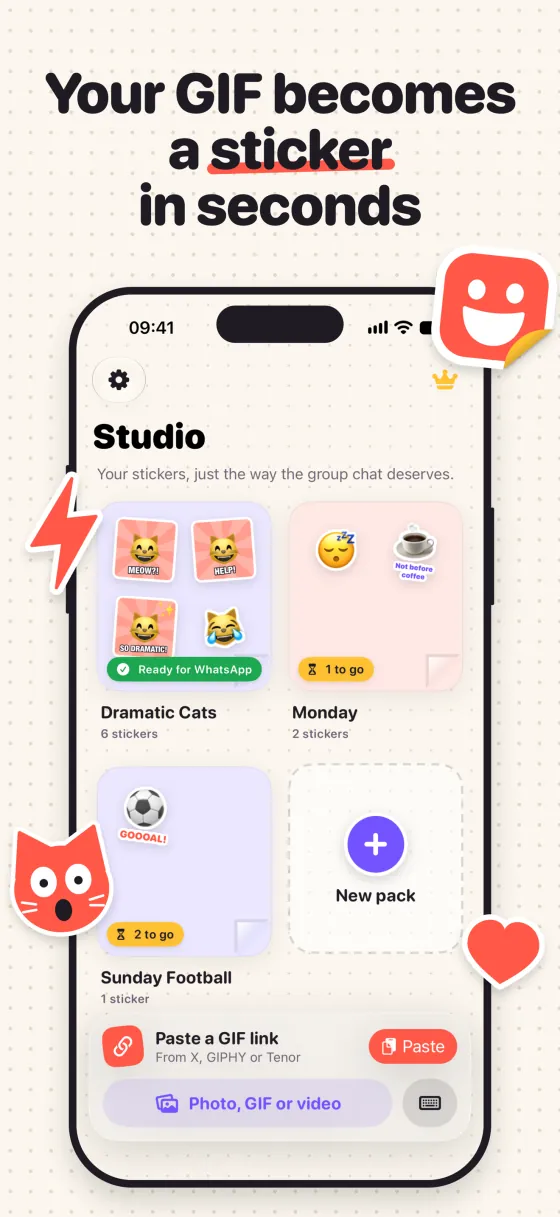
Your GIF becomes a sticker in seconds
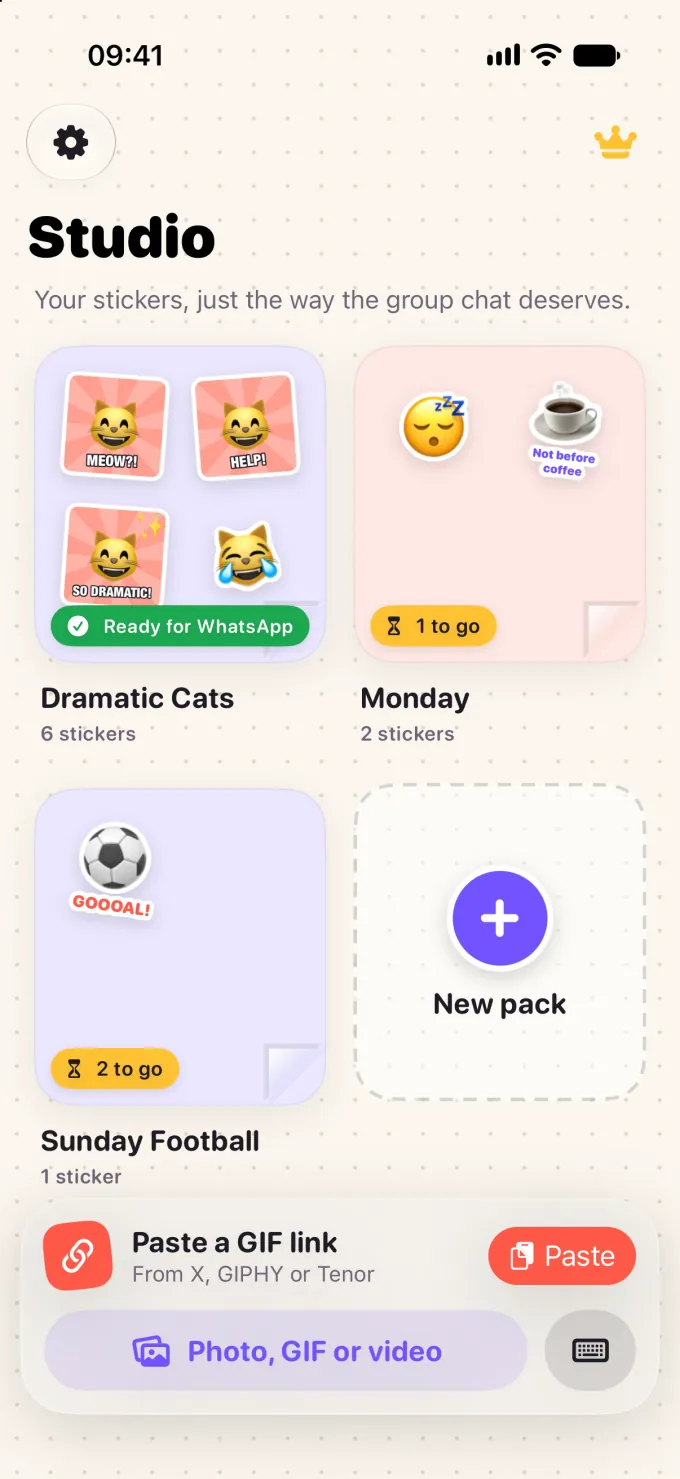
Paste a link from X, GIPHY or Tenor, or pick a video or photo. Cut it out, add text, dress it up and send it to WhatsApp.



Three steps and done
From “found a GIF” to the group chat losing it, in as few taps as possible.
-

Pick a GIF
Paste a link from X, GIPHY or Tenor, or pick a photo, GIF or video from your library.
-

Make it yours
Magic cutout, text, emoji, frames, filters and speed. What you see is what lands in WhatsApp.
-

Send it to WhatsApp
Gather 3 stickers in a pack and send it to WhatsApp with one tap.
GIFs, videos, photos and links all work
Found something funny? There's a quick way to bring it into the Studio.
-
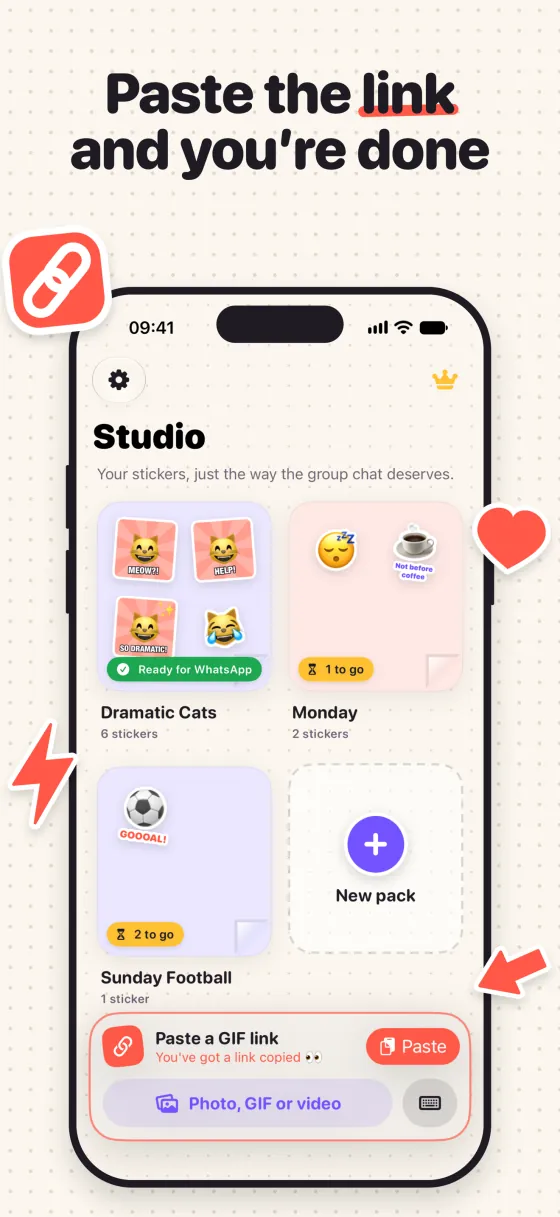
Paste a link
From X, GIPHY or Tenor. Copy it, open the app, tap Paste: the GIF is already in the editor.
-

Photo, GIF or video
Pick from your iPhone library. Even a still photo can become an animated sticker with moving decor.
-

Straight from another app
In X, Photos or your browser: Share › Make a sticker, and it opens in the editor.
-

Shortcuts and Siri
Make a sticker and Sticker from a link show up on their own in the Shortcuts app.
Cut out, write, dress up
All with your finger: drag, pinch and twist. And you can undo whenever you want.
Magic cutout
Removes the background on its own and keeps just the star of the show.
- Everything that stands out
- Just one person PRO
- Just the face PRO
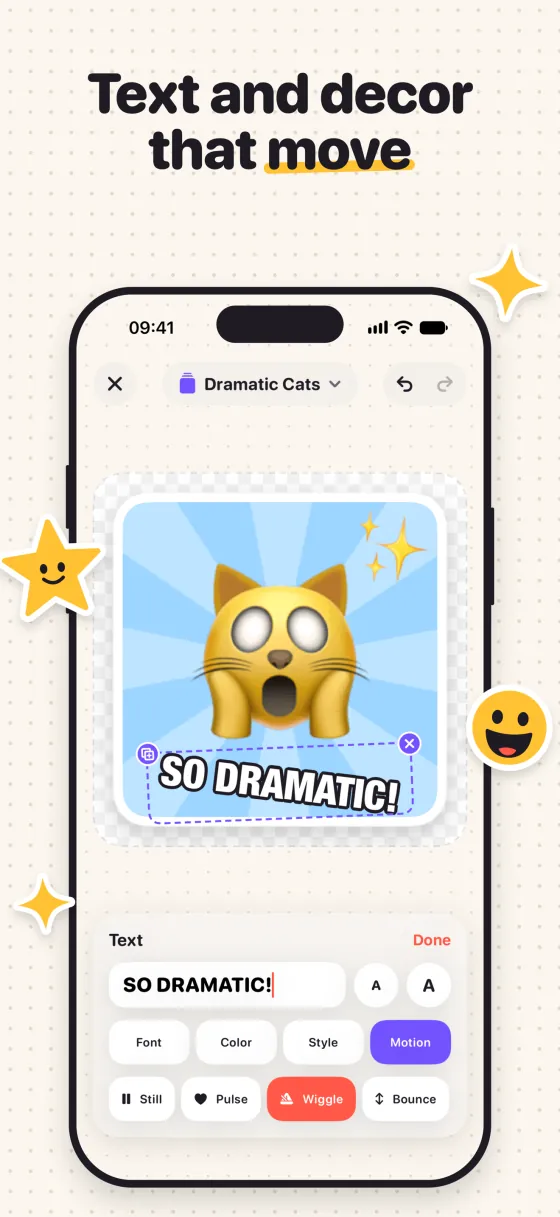
Text
Meme style, with outline and shadow.
- Rounded and Meme, in lots of colors
- More fonts PRO
- Speech and thought bubbles PRO

Emoji and decor
Arrows, hearts and sparkles with a sticker border.
- Emoji, arrows, hearts and sparkles
- Animated emoji PRO
- Pulse, wiggle, bounce, spin and twinkle PRO
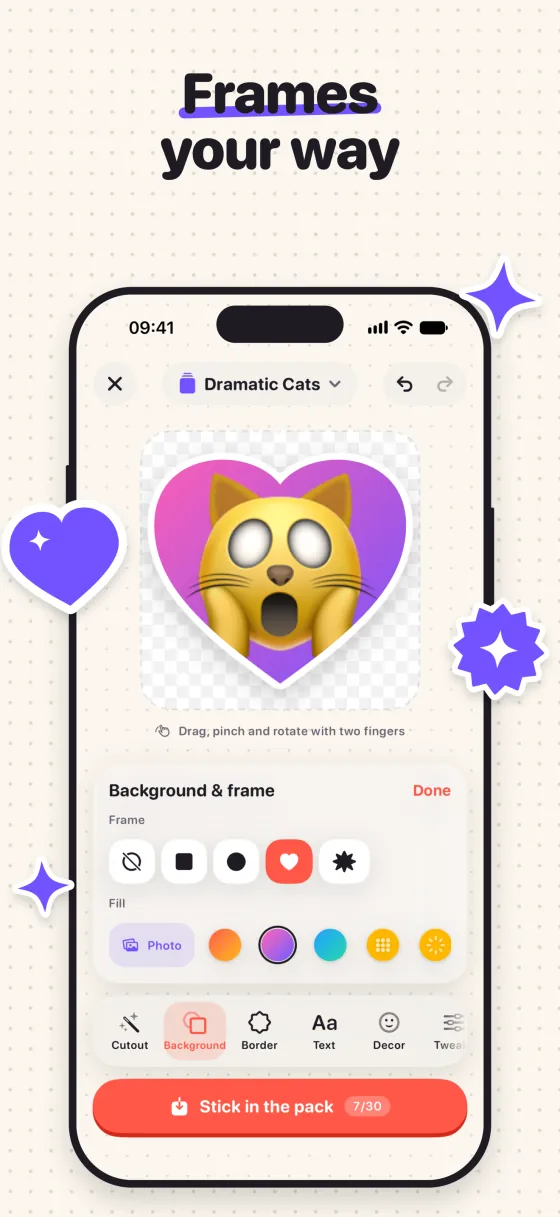
Frames and backgrounds
Put your cutout on a brand-new background.
- Square or circle, in color
- Heart and burst PRO
- Gradient, polka dots, rays or a photo PRO

Sticker border
The cut-out white edge that makes a sticker look like vinyl.
- From skinny to chunky
- Follows the outline of your cutout

Filters and tweaks
They change only the picture, never the text or the decor.
- B&W, Vintage, Vivid and Cool
- Brightness and contrast
- Pixelated PRO

Speed
Slow-mo for the drama, fast-forward for the chaos.
- From 0.5× to 2×
- Reverse PRO
- Boomerang PRO

Perfect trim
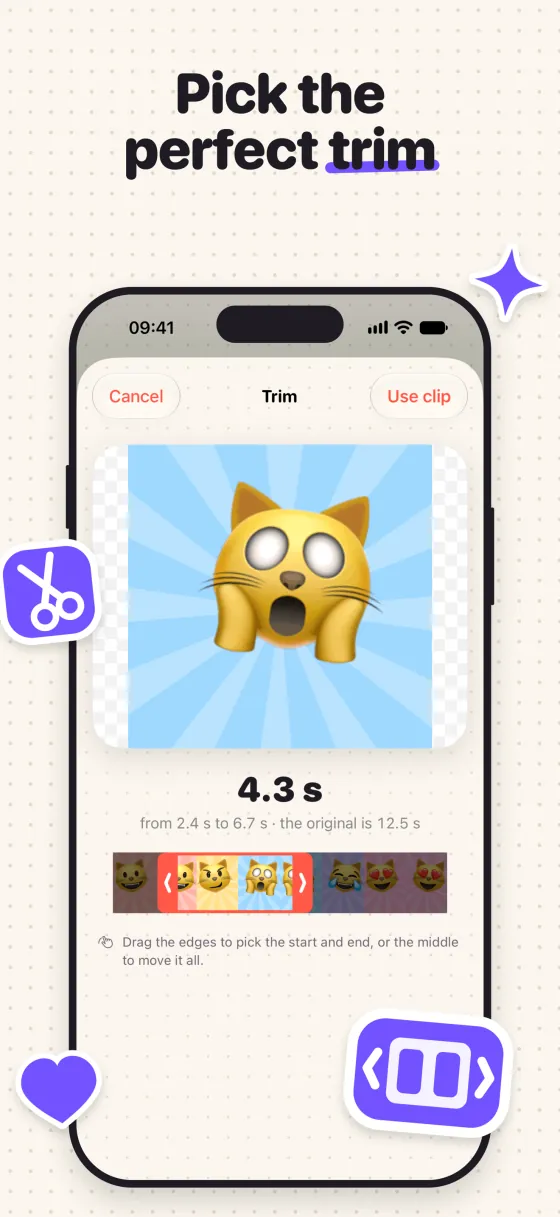
Drag the handles and grab just the best part of the video.
- Any slice, up to 5 s
- Layers: raise, lower, duplicate, flip
- Undo and redo
Anything with PRO is part of the Pro plan. Everything else is free.
From GIF to WhatsApp in 15 seconds
Paste, cut out, write, dress up and send. No tutorial, no fuss: the whole Studio fits under your thumb.
Inside the app
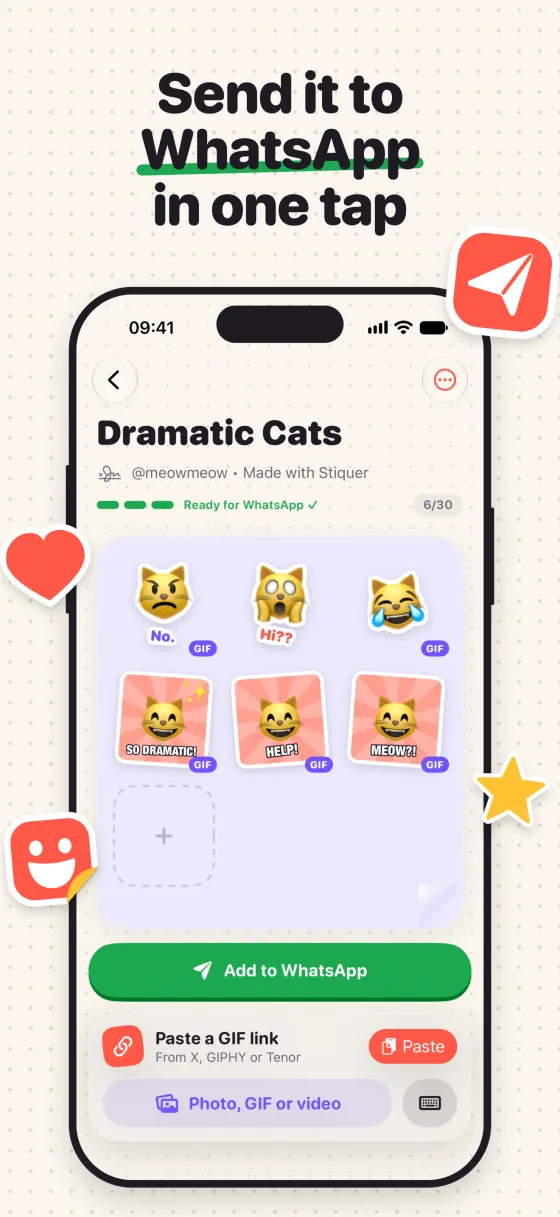
Build a pack, send it to WhatsApp
Every sticker goes onto a sheet. Once you've got three, the pack is ready and heads to WhatsApp with one tap.
- 3stickers already make a pack
- 10per pack on the free plan, in up to 3 packs
- 30per pack with Pro, as many packs as you like
- 1a lone sticker works too, with Pro: Copy & paste to WhatsApp
Dramatic Cats
@meowmeow · Made with Stiquer
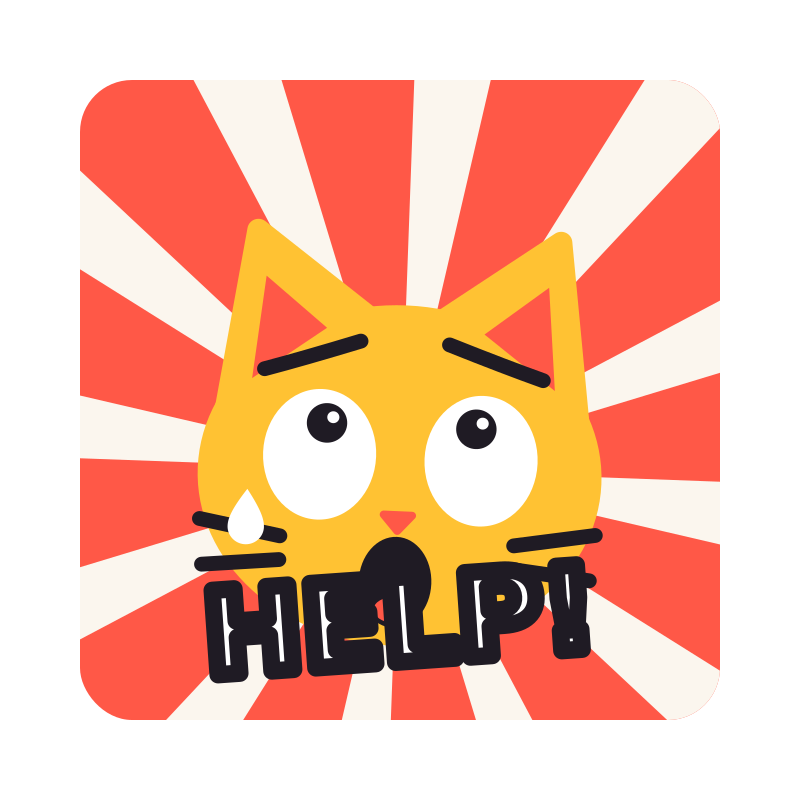


 +
Pay once, it's yours forever
No subscription, no renewals. Pro unlocks the whole Studio.
| Feature | Free | Pro |
|---|---|---|
| Stickers per pack | Up to 10 | Up to 30 |
| Packs | Up to 3 | As many as you like |
| Links from X, GIPHY and Tenor | 2 per day | As many as you like |
| Copy & paste to WhatsApp | No | Yes |
| Editor | The essentials: cutout, border, text, emoji, simple frame and filters | Everything: just the face, all fonts, bubbles, special backgrounds, moving decor, reverse and boomerang |
| Payment | Free | One time only, through the App Store |
You buy Pro inside the app. New iPhone? Just tap Restore purchases.
Quick questions
Is it really free?
Yep! Download it and use it as much as you want.
On the free plan, you can make stickers from 2 links a day (photos, GIFs and videos from your library have no limit). Pro unlocks unlimited links and the full editor, in one purchase, forever.
Does it work on Android?
For now, the app is iPhone only (iOS 17 or newer). But the stickers you send work for everyone in the group, Android folks included.
Do I need WhatsApp?
You do: stickers go to the WhatsApp installed on your iPhone. You can create and keep packs beforehand, but to use them in a chat you need WhatsApp.
What's the size and length of a sticker?
The app delivers the format WhatsApp asks for: 512×512 and up to 500 KB per animated sticker, at up to 5 seconds so it stays smooth and light. You don't have to worry about any of it.
If the GIF or video is longer, the first 5 s go in and the app nudges you to pick a trim. If it ends up too big, it tells you that too.
Which sites can I paste links from?
X (Twitter), GIPHY and Tenor, plus short links and direct links to GIF or video files. Instagram posts don't work yet: in that case, use a video from your library.
Do I need to create an account?
Nope. No login, no sign-up: your stickers and packs stay on your iPhone. Details in the privacy policy.
How does Pro work?
It's a one-time purchase through the App Store, no subscription. It's yours forever on your Apple ID: if you switch iPhones, just tap Restore purchases in Settings or on the Pro screen.
Still have questions? Check out support.
Ready to make your first one?
Download it free and turn that GIF only your group chat gets into a sticker.
Download on theApp Store